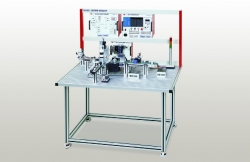
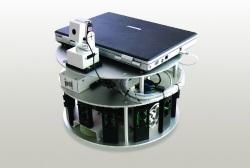
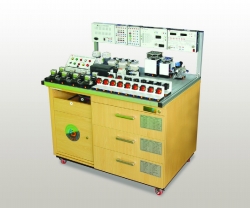
Assembling Robot Trainer ED-7300

Cod: ED-7300


Brosura produs PDF, 0.66 Mb
   

Descriere

EXPERIMENTS

  • Alignment of the disassembled components
  • Operating principle of the ball screw and LM Guide
  • Understanding of the robot’s structure in detail
  • Enhancement of manufacturing skills through assembly and disassembly


Features:

  • Disassembly and assembly practices for the robot actuators
  • Utilization of a robot being used in the industry, so to apply a job site after graduation
  • Simulation software provided to make assembly or disassembly easily
  • Enables basic operation and testing practices on the assembled unit using a controller
 

Alte produse ED

RFID APPLICATION TRAINER ED-3710

• F/W program practices for RFID Reader
• 13.56MHz and 900MHz in common use
• Data Read/Write to 900MHz Tag
• ED-3710 application programming (13.56MHz, 900MHz)
• Fixed Type RFID Reader


AC SERVO MOTOR TRAINER ED-4303

• Experiments on Servo Motor control techniques using Servo Driver
• Aluminum carrying case for convenient storage and mobility
• JOG operation, PLC control operation, PC control operation
• Various types of control elements easily to be mounted
• Capable of checking normal operating voltage / over current by voltmeter and ammeter


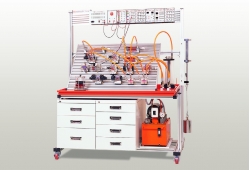
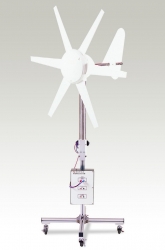
NEW & RENEWABLE ENERGY TRAINER ED-9710

• Conversion processing experiments on the produced energy(power production / processing)
• Energy efficiency experiments followed by energy production and conversion
• Voltage and current characteristics curve
• Standalone or integrated operation of the energy experimental module
• Enriched teaching aids such as simulation software for power production


SERVO UNIT TRAINER ED-4270M

• Experiments on various types of special control unit
• Characteristics of Servo Motor and setup of Servo Driver
• Essential components in automation using a PLC position module
• 4mm banana jack to increase wiring capability


UNIVERSAL PLC TRAINER ED-UPLC

• Docking System architecture separating the main body from PLC modules
• Various types of Programmable Logic Controller experiments
• Modular structure for convenient storage and mobility
• Built-in multi connection device compatible with world’s famous PLC brands


LON DEVICE DEVELOPMENT KIT ED-5960

• Home network based experiments suitable for ubiquitous computing
• Integrated ubiquitous device using ZigBee/RFID and finger print recognition
• Designed to help develop home network on the ground of Lon Protocol
• Equipped with each PLC module(Power Line Communication) for home network
• Related experiments through Neuron C and MICOM programming


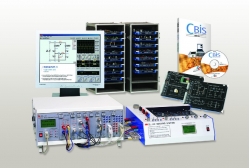
COMPUTER BASED INSTRUMENT SYSTEM CBIS-1400

• PC-based multi-function instrument for electricity/electronics and other experiments
• Digital Storage Oscilloscope with the 2-channel simultaneous 50MS/s sampling rate
• Spectrum Analyzer functions using Digital Storage Oscilloscope(DSO)
• Variable Power Supply(VPS), Function Generator(FG), Analog Output and Digital Output
• Analysis of collected data on PC through the modules of DSO, DMM, FC and Analog/Digital Input
• Numerical and graphical indication of the data measured and analyzed in real time


PORTABLE PLC TRAINER ED-4260P

• Composed of essential devices for Programmable Logic Controller I/O commands
• LD (Ladder Diagram), IL (Instruction List), SFC (Sequential Function)
• Built-in Simulator to train on the encoder’s principle and functions
• Stepping motor and DC motor installed as standard (forward/reverse rotation, linear movement)
• Capable of network configuration by CPU and Remote I/C Link


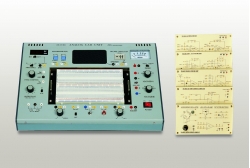
LOGIC CIRCUIT LAB ED-1006

• Hexadecimal number indicators
• Selectable pulse outputs
• Built-in DC power supp


MICROPROCESSOR COMBO ED-4512

• Mountable 5 type of MCU(8051,PIC, Atmega128, Atmega8535, Upd78f0547)
• Practice of various communications such as RS-232 USB and Ethernet
• Practice from basic I/O exercises to sensor application exercises with 5 MCU’s
• Possible of various practice by using of Bread Board and I/O Expansion Port
• Storage of sensor data display and Excel data using UI(LabVIEW)