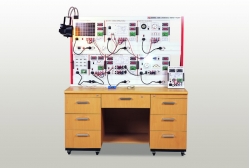
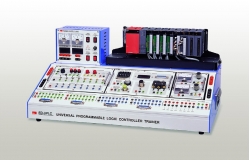
Hydraulics Trainer ED-7960

Code: ED-7960


Datasheet PDF, 0.75 Mb

Description

EXPERIMENTS

  • Overview of hydraulic technology and hydraulic system
  • Functions and applied examples of various hydraulic components
  • Functions and applied examples of various hydraulic components
  • Basic circuits in use of directional control valves (5 circuits)
  • Emergency stop circuit using 4/3-Way Directional Control Valve
  • Position control using Pilot Check Valve
  • Principles of automatic control(differential control)
  • Structure and principles of Sequence Valve
  • Speed/position control of hydraulic cylinders
  • Meter-in/Meter-out flow control
  • Time characteristics circuits(2 circuits)
  • Hydraulic sensor control circuits(2 circuits)
  • Flow resistance and measurement
  • Principles of electrical engineering
  • Electrical components and characteristics of hydraulic circuits
  • Basic circuits in use of various solenoid valves(4 circuits)
  • Automatic control circuits in use of solenoid valves(4 circuits)
  • Applied electro hydraulic circuits(5 circuits)
  • PLC control based application circuits(2 circuits)


Features:

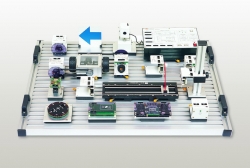
  • Convenient parts fixation by ‘one-touch lever’ bases and aluminum profile structure
  • Efficient space utilization by mounting parts horizontally/vertically
  • 64 hydraulic and electrical/electronic parts plus 20 types of optional components.
  • Various hydraulic devices and components for Flexible Manufacturing System
 

More products ED

TELECOMMUNICATION TRAINER ED-2960

• 7 experimental modules with a mainframe console
• Harmonic Analysis and Superheterodyne Receiver experiments
• PCM(TDM), Sample Hold, and Delta Modulation experiments


4-AXIS SCARA ROBOT TRAINER ED-HS4

• Experiments on the industrial SCARA robot
• Teaching pendant in 7.5wide color touch panel
• Standard language for the international industrial robot
• Simulation software in three dimension


PC BASED BASIC ED-1420

• 15 experimental modules for basic electricity/electronics and analog & digital circuits
• Capable of real time measurement on PC by linking it to CBIS-1400 model.
• By connecting PC to the Docking station, contact control is implemented on MMI(HMI) based software
• Report on experimental results & electronic manual on PC


ASSEMBLING ROBOT TRAINER ED-7300

• Disassembly and assembly practices for the robot actuators
• Utilization of a robot being used in the industry, so to apply a job site after graduation
• Simulation software provided to make assembly or disassembly easily
• Enables basic operation and testing practices on the assembled unit using a controller


MULTIPLEXED COMMUNICATION TRAINER ED-2990

• PLL and Digital Synthesizer
• PAM, PCM, FDM and FSK Modem
• 10types of module including DC Power Supply


FUEL CELL TRAINER ED-9741

• Testing of load for maximum four fuel cell at the same time
• Removable type of electrical dissolution and fuel cell from main body
• Monitoring through LabVIEW program


PULSE CIRCUIT TRAINER ED-6400

• Modular system with experimental rack
• Pulse Generation, synthesis and conversion
• Built-in signal source and DC power supply


PC BASED DIGITAL COMMUNICATION TRAINER ED-1440

• The Electronic Manual operable on PC comes with ED-1440 and e-learning is optimized by remote control of student’s operating program and evaluation of student’s online peport in real time.
• Through DS-1410, it provides Variable Power Supply(VPS), Function Generator(FG), Analog Output, Digital Output needed for experiments.


INTELLIGENT ROBOT DEVELOPMENT KIT ED-7273

• Obstacle avoidance and autonomous traveling using eight ultrasonic sensors
• Various types of robot configuration by combining each module
• Remote control by the controller
• Precise operation by DC Servo Motor
• Flow chart based programming software


MICROPROCESSOR COMBO II ED-4513

• Mountable 5pieces MCU(8051,PIC, ATmega128, ATmega8535, upd78F0547)
• Practice of various communications such as RS-232 USB and Ethernet
• SoC experiments using the default FPGA (EP1C4F324)
• Storage of sensor data display and excel data using UI(LabVIEW)